|
Safety glasses or other suitable eye protection should be worn
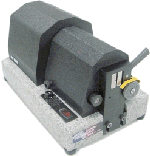
when operating this tool. The cutter head works with centrifugal
force to cause the blade cartridge to cut into the cable at
predetermined strip lengths and depths to strip the cable. The
cartridge may contain up to 5 blades (for example, Triaxial
Cable) depending on the specific application. The spacing of the
blades for strip lengths is determined by the application
(connector trim/assembly code) and is fixed in the manufacture
of the cutter head. The depth of the blades, however can be
adjusted by use of the blade adjusting screws located on the
cutter head blad e
cartridge To operate the tool, insert the cable to be stripped
into the cutter head until it hits the cable stop. Hold cable
firmly but not aggressively, making sure that the cable is
straight and centered. For best results hold the cable back
approximately 3" from the tool’s rotating cutter. Holding the
cable too tightly and too close to the spinning cutter head will
cause binding and jamming. Holding the cable too far back will
cause the cable to wobble and whip. Turn the unit on by pressing
the switch on the driver, and hold the switch in the ON position
for 3-4 seconds to allow the cutter head to engage the cable and
fully complete the strip cycle. Release the switch. When the
cutter head has come to a complete stop, remove the cable. Using
your fingers, or any gripping tool or slug puller, remove the
cut ends. For best results, remove one end at a time, working
from the end of the cable inward. Inspect the stripped cable. If
any of the blades has cut in too far or not far enough, remove
the cutter head from the driver and use a screwdriver to adjust
the blade depth via the blade adjusting screws located on the
blade cartridge. For additional details and instructions re:
cutter head adjustments, see the separate bulletin found
elsewhere in the tool kit.
SPECIAL INSTRUCTIONS:
Large diameter or stiff cables: The cutter head works best when
the cable is inserted straight without any bends or curvature.
Any curvature as is often found in large and stiff cables will
cause cuts that are too deep on one side and not deep enough on
the other. Smaller diameter cable with a slight bend or
curvature will usually be straightened by the cutter head center
tube and blades as they embed into the cable.
Large diameter, semi rigid or soft flexible jacketed cables:
These types of cables can cause drag on the blades due to their
construction. Stripping results may be unsatisfactory or
inconsistent due to the drag and resulting friction. For further
information, see Coastel’s
Technical Bulletin #CT101A. This
problem can be eliminated by applying a small amount of
lubricant to the cable end before inserting it into the cutter
head. We recommend impartial lubricants like a silicone spray or
alcohol. These lubricants have been found to be two good choices
to reduce drag and friction and vastly improve stripping
quality. An additional benefit from the reduced friction is
longer tool life and less frequent battery charging.
MAINTENANCE:
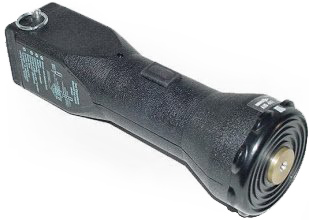
The 724/725 driver generally requires very little maintenance.
An occasional low pressure stream of air around the driver gear
head to remove any loose cable debris is very helpful in keeping
the tool free from contaminants. Never remove the battery pack
and attempt to blow out any debris from inside the driver
housing.
24/64 Cutter Head requires only cleaning out of cable debris in
the cutting chamber and blade cartridge. This is easily done by
either holding the cutter head upside down and lightly tapping
the bottom or by a light stream of air into the blade cartridge
or center tube. |